


CRAB Car Scanner
3.711.00 Reviews
App Specs
- Version
- 1.6.0
- Updated On
- License
- Free
- Downloads
- 50,000+
- Developer
- altercars.ru
- Categories
- Auto & Vehicles
- Platform
- Android
Screenshots
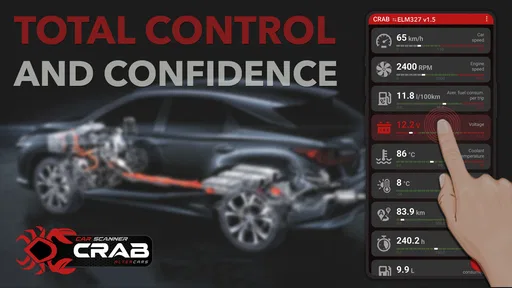
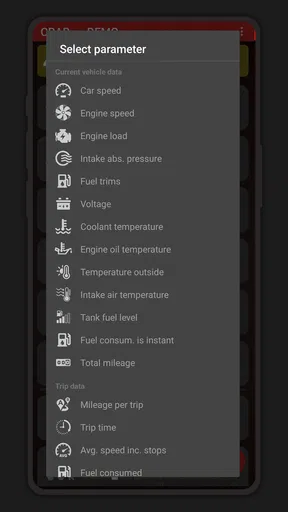
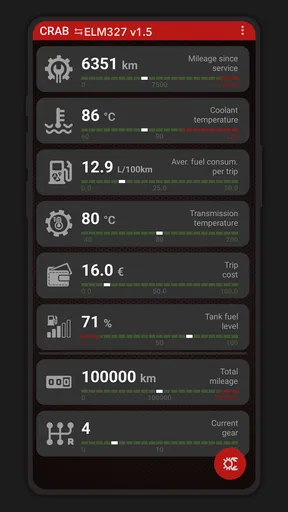
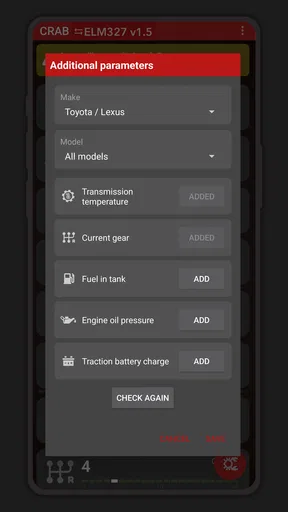
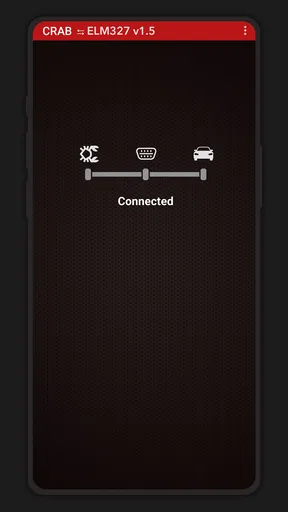
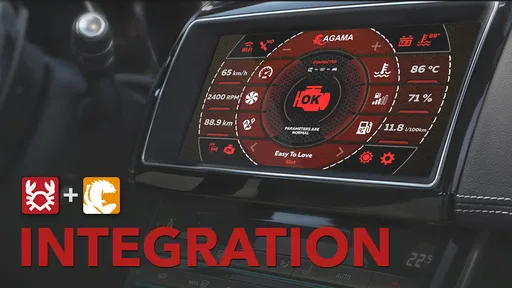
 Analysis by AppCompare
My main takeaway is that CRAB Car Scanner is best approached as a small companion for an ELM327 Bluetooth adapter, not as a general-purpose car encyclopedia. If you already have a compatible adapter and want a convenient way to check vehicle information from your phone, it may fit neatly into your routine. If you expected it to identify cars from a camera, report a vehicle’s market value, or replace a mechanic’s diagnostic tools, you should look elsewhere: those are not the job this app is described as doing.
Start with the adapter, not the app
The key practical question is whether you own an ELM327 Bluetooth adapter. CRAB Car Scanner is designed to work with one, so installing the app alone is not the same as having a complete scan setup. Before relying on it, check that your adapter is compatible with your vehicle and can communicate with your phone. If you are still choosing an adapter, treat that as a separate purchase decision rather than assuming every device sold as ELM327 will behave identically.
That distinction matters most when you are trying to solve a problem quickly. A scanner app cannot help much if the adapter is not paired, the car is not communicating, or the issue lies outside the information an OBD connection can provide. I would test the connection at home before an important trip, rather than first learning the setup in a parking lot with a warning light on.
A useful role in everyday car ownership
For a driver who likes to understand what is happening before calling a repair shop, a phone-based OBD scanner can be a useful first step. You can connect the adapter when you have a concern, inspect the information the car makes available, and use that as context for a conversation with a technician. The important boundary is that reading diagnostic information is not the same as confirming the cause of a fault or repairing it.
A realistic example: suppose a warning appears on your dashboard shortly before your commute. If your adapter is already paired and the vehicle supports the information you need, the app can help you gather a clue before deciding whether to continue driving or arrange professional help. I would not use a scan result alone to judge that a car is safe to drive. If the warning is serious, the car behaves unusually, or you are unsure, stop and seek qualified advice.
It can also be handy for someone who maintains a household car and wants to be less dependent on guesswork. Keeping the adapter with your other car supplies means you can make a quick check when a concern comes up. That is a more grounded use than expecting an app to provide a full inspection: it gives you a route to vehicle information, not a substitute for hands-on diagnosis.
How it differs from common alternatives
Compared with a standalone code reader, a phone-and-adapter setup can be more convenient if you prefer to keep tools and notes on your mobile device. A dedicated reader, however, may be the simpler choice for someone who wants a self-contained tool and does not want to deal with Bluetooth pairing or phone compatibility. The better option depends less on which sounds more advanced and more on whether you value using your phone or avoiding setup steps.
Worth Reading Before You Choose

Flipboard Shows What News Apps Must Do Beyond the Feed

Switching to Android Auto Means Rethinking Your Driving Routine

Google Calendar Makes a Crowded Week Easier to Manage

Ludo King Makes the Most of the Minutes Between Plans

Baby Panda World Brings Quick Play to Modern Phones, but Its Game Library Feels Busy

ESPN’s Live Game View Makes Following Close Games Easier
It is also different from a vehicle-identification camera app or a used-car research service. Those tools answer questions such as what model is in front of you or what a car might be worth. An OBD scanner is aimed at communication with a vehicle through an adapter. I would not choose CRAB Car Scanner for car spotting, ownership-history research, or pricing comparisons; those are separate tasks and call for different sources.
Small habits that make scanning more useful
One practical tip is to establish a normal routine before there is a problem: pair the adapter while parked, learn where the app shows connection status, and make sure you can navigate the relevant screens without rushing. This does not make a scan more accurate, but it can prevent a stressful situation from turning into a troubleshooting session about Bluetooth.
When you do check a vehicle, write down or otherwise preserve the exact information the app displays before clearing anything or changing settings. A mechanic can make better use of a precise report than a vague account like “the scanner said something was wrong.” If the app or adapter offers controls that could alter vehicle behavior, avoid experimenting unless you understand the effect and have a clear reason to use them.
There is a trade-off here: an inexpensive, portable setup can make basic checks more accessible, but the result still depends on the car, adapter, connection, and your interpretation. A scan may point you toward a system or symptom without explaining the underlying mechanical cause. For decisions involving safety, costly repairs, or a car you are considering buying, I would treat the app as one source of context, not the final authority.
Who should consider it—and who should pass
I see the strongest fit for drivers who already have an ELM327 Bluetooth adapter, are comfortable pairing devices, and want a mobile way to engage with vehicle diagnostics. It may also appeal to curious owners who would rather arrive at a repair appointment with a little more context than no information at all. The app is free to install, while in-app purchases are listed at $4.49 per item, so check the available purchase details in the app before assuming every capability is included at no cost.
I would steer away from it if you do not own an adapter and only want a quick camera-based way to identify passing cars. It is also not the right pick for someone who expects a guaranteed diagnosis, a professional workshop system, or a complete inspection before buying a used vehicle. In those situations, a suitable dedicated reader, a trusted mechanic, or a proper vehicle-history service is a better match.
Getting Started with CRAB Car Scanner
First things first, downloading the CRAB Car Scanner is a breeze. Available on both Android and iOS, you can grab it from the Google Play Store or the Apple App Store. Once installed, the clean and intuitive interface welcomes you, making navigation a piece of cake even for those who aren't tech-savvy.
Snapping and Identifying Cars
The magic of this app lies in its ability to recognize cars through your phone’s camera. You simply point and click, and voilà—details about the vehicle pop up. The app uses a powerful AI engine to identify the car's make, model, and year. It’s so accurate, you'll feel like a car expert in no time.
What I love most is the speed and efficiency of the scan. Within seconds, you can access a wealth of information that would otherwise take a lot of research. It’s ideal for car enthusiasts, potential buyers, or anyone just curious about the cars they pass on the street.
Digging Deeper into Vehicle Details
Beyond basic identification, the app offers a treasure trove of additional details. Once a car is scanned, you can explore its specifications, history, and even market value. It’s like having a personal car encyclopedia in your pocket!
The app’s database is extensive, covering a wide range of vehicles from vintage classics to the latest models. This means that whether you're at a car show or just out for a stroll, you’ll always have the info you need at your fingertips.
User Experience and Interface
CRAB Car Scanner scores high on user experience. The interface is sleek and user-friendly, with clear buttons and easy navigation. The app is designed to be intuitive, so you won’t find yourself lost in a maze of options. The developers have done a stellar job ensuring that even first-time users can jump right in without a hitch.
I also appreciate the attention to detail in the app’s design. It’s visually appealing, with a modern aesthetic that complements its advanced technology. The app feels both powerful and accessible, which is a rare combination.
Some Handy Extras
Besides its core features, the app throws in some extras that make it even more enticing. For instance, you can save your scans to create a personal collection of cars you've identified. This is particularly handy if you're a collector or just like to keep track of your favorites.
Additionally, the app provides access to user reviews and ratings for different car models. This community-driven feature is perfect for gaining insights from other car enthusiasts and making informed decisions, especially if you’re in the market for a new ride.
Final Thoughts
All in all, the CRAB Car Scanner is a fantastic tool for anyone with a passion for cars. Its ability to quickly and accurately identify vehicles makes it an invaluable app for both casual users and serious car enthusiasts. Whether you’re at a car show, dealership, or just out and about, this app promises to enhance your automotive adventures.
If you're looking to elevate your car-spotting game, I highly recommend giving the CRAB Car Scanner a try. It’s like having a personal car guru right in your pocket!
What the listing tells me about its reach
CRAB Car Scanner is an Auto & Vehicles app from altercars.ru, with a 3.7 average from 272 ratings and 11 written reviews. It has passed 50K+ installs, which suggests that drivers have found it, though the rating is a reminder that experiences are mixed rather than uniformly enthusiastic. I would read those figures as context, not proof that the app will work with every phone, adapter, or car.
The app was released on October 29, 2024, and its current version is 1.6.0. It is free, rated for Everyone, and lists Android 6.0 as its minimum OS. Those details make it approachable for a broad range of Android users, but the adapter requirement remains the practical gate: an older supported phone does not remove the need for the right hardware or a compatible vehicle connection.
My bottom line for prospective users
My recommendation is deliberately specific: consider it if you want an OBD companion for an ELM327 Bluetooth adapter and are willing to verify the connection before you depend on it. Start with a simple, low-pressure check while parked, learn what information it presents, and use that information to ask better questions rather than making major repair decisions on your own.
For drivers seeking camera-based car recognition or a complete diagnostic solution, the fit is poor, despite the earlier claims about those functions. The app’s sensible appeal is narrower than that: it gives phone users a way to work with an adapter they already own. That can be genuinely handy in the right setup, but I would choose another tool for vehicle identification, detailed pre-purchase inspection, or repairs that require expert judgment.
Pros
- User-friendly interface for easy navigation.
- Accurate car model recognition.
- Real-time scanning results.
- Supports multiple car brands.
- Offline mode available.
Cons
- Limited compatibility with older devices.
- Occasional scanning errors.
- Requires frequent updates.
- Some features need premium access.
- Battery consumption can be high.
FAQs for CRAB Car Scanner
What is CRAB Car Scanner and how does it work?
CRAB Car Scanner is an app designed to provide users with detailed diagnostics of their vehicle. It connects to your car's onboard diagnostic system via Bluetooth or a compatible OBD-II adapter. Once connected, it scans for error codes, monitors real-time data, and provides insights into vehicle performance and maintenance needs.
Is CRAB Car Scanner compatible with all vehicles?
CRAB Car Scanner is compatible with most cars manufactured after 1996, as they typically support the OBD-II protocol. However, compatibility may vary depending on the make and model of the vehicle. It's recommended to check the app's compatibility list or consult with customer support to ensure your vehicle is supported.
What features does CRAB Car Scanner offer?
The app offers a variety of features, including real-time data monitoring, fault code scanning and clearing, fuel efficiency tracking, and performance metrics. Additionally, it provides maintenance reminders and detailed reports on vehicle health, helping users stay informed about potential issues and optimize their car's performance.
Does CRAB Car Scanner require an internet connection to function?
While CRAB Car Scanner primarily relies on the Bluetooth connection to your car's OBD-II adapter, some features may require an internet connection. For example, accessing detailed error code definitions or updating the app may need internet access. However, basic diagnostic functions can be performed offline.
Is CRAB Car Scanner easy to use for beginners?
Yes, CRAB Car Scanner is designed with user-friendliness in mind. The interface is intuitive and easy to navigate, with clear instructions and visual aids. Beginners can easily understand their car's diagnostics and use the app to perform basic checks. Additionally, the app provides helpful guides and support for new users.


